GEO Pro: A Free Chrome Extension That Shows How AI Reads Your Page

Umut Candan
SEO Manager @ Sahibinden.com
Table of Contents
Google shows you what it indexed. Search Console tells you when it could not render a page. AI crawlers and ChatGPT tell you nothing. You publish a page, and you have no idea whether GPTBot got the content, whether your robots.txt lets it in, or what ChatGPT searched for before it picked someone else's page.
I built GEO Pro to answer those questions for the page I am looking at, without setting up a crawler or paying for a tool. Click the icon, and the report is ready in a few seconds. It is 100% free: "Pro" is the name, not a paid plan. There is no account and no sign-up.
Here is what it checks and why each check matters.
1. Can an AI crawler see your content at all?
Most AI crawlers download your HTML and stop there. Vercel looked at the traffic of ChatGPT's and Claude's crawlers: they fetch JavaScript files but do not execute them. Anything your page builds in the browser is invisible to them.
GEO Pro fetches the raw HTML of the page (what a crawler gets) and compares it with the rendered page (what you see). Then it gives a verdict: server-rendered, partially client-rendered, or a client-rendered shell.
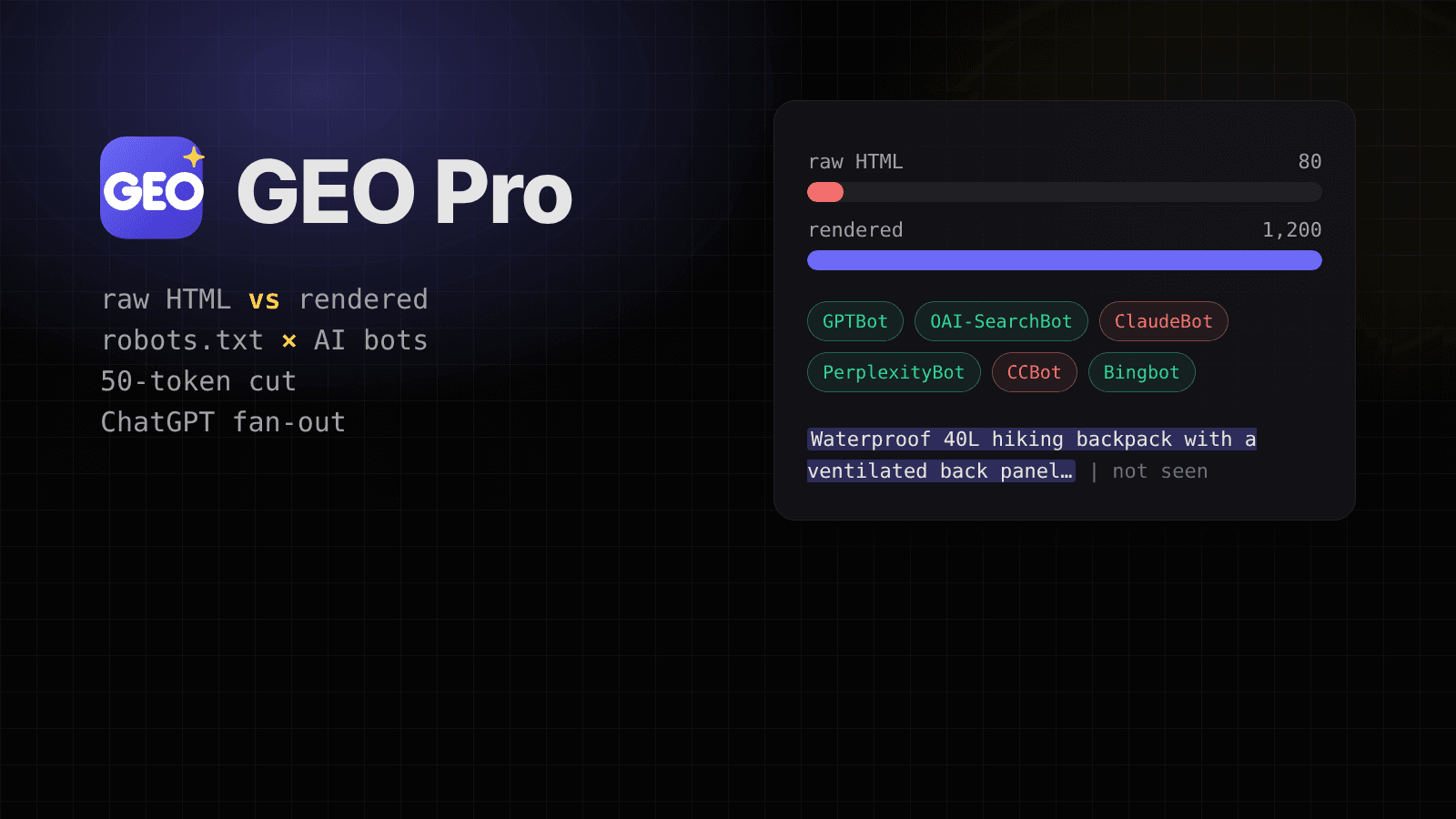
A concrete example: a product listing built with React shows 1,200 words in the browser. The raw HTML holds 80 of them, mostly the footer. The ratio is 0.07, the verdict is "client-rendered shell", and the tab highlights every paragraph and heading that only appears after JavaScript runs. That is the content GPTBot never reads.
The thresholds (0.9 and above passes, below 0.5 fails) are my own rule of thumb, and the extension says so next to the result.
2. Which AI bots does your robots.txt let in?
There are now about 20 AI crawlers worth knowing, and they do different jobs. Blocking them all is rarely what you want:
A site that blocks GPTBot to stay out of training data loses nothing in ChatGPT search. A site that blocks OAI-SearchBot does. GEO Pro lists every bot for the current URL with allowed or blocked, groups them by purpose, and shows the exact robots.txt line that decided it.
One caveat it keeps on screen: robots.txt only states intent. A firewall or CDN rule can still block a bot that robots.txt allows.
3. What text does an LLM actually get?
The AI view tab converts the main content of the raw HTML to Markdown, which is close to how an LLM receives a page. It counts the tokens (with the o200k_base tokenizer GPT-4o and later use) and highlights the first 100 tokens under each heading.
Why 100 tokens? Pages are split into chunks before they reach a model, and a chunk usually starts at a heading. If the first lines under "Pricing" are a cookie notice or a vague intro, that is what the chunk is about. It is a heuristic, not a published number, so you can treat the highlight as a reading aid rather than a rule.
There is a copy button, so you can paste the Markdown into ChatGPT or Claude and ask what the page is about.
4. Does your product description survive the 50-token cut?
This is the check I wanted most for e-commerce. In his BrightonSEO San Diego 2026 talk, Metehan Yeşilyurt (Peec AI) showed that in ChatGPT shopping answers built from OpenAI's product feed, the product description was cut at 50 tokens, about 40 words. Title, rating, merchants and specs (up to 20 of them) took the rest of the space.
So only the first 40 words of a description count. Take this one:
The model sees the store's history and stops before it learns that the product is a waterproof 40-liter hiking backpack. The Product tab shows exactly where the cut falls, which part the model sees, and which structured fields (brand, price, availability, GTIN, rating, specs) are missing.
There is also an optional front-loading score. It checks whether the first 50 tokens state the product type, a key benefit and a differentiator, and if not, it points to the sentence after the cut that would fix it, for example "Sentence 4 states the product type and key benefit but sits after the cut." This is the only feature that sends anything to my server: the page URL and the description text, and only when you click the button.
The research is a September 2026 snapshot. OpenAI runs tests and settings differ by market, so the tab says that too.
5. What did ChatGPT search before it answered?
When ChatGPT browses, it rewrites your question into several web searches. This is query fan-out, and those searches decide which pages it reads and cites. The ChatGPT web app does not show them.
With GEO Pro installed, open chatgpt.com and ask something. The Fan-out tab lists, for each prompt in the conversation, the searches ChatGPT ran, the product lookups and the sources it pulled. A prompt like "best running shoes for flat feet under $150" might turn into searches such as "stability running shoes flat feet 2026" and "running shoes under 150 review". Those are the queries your page has to rank for to be considered.
Two things to know:
Every check shows its source
SEO tools are full of confident numbers nobody can trace. In GEO Pro, every metric has a "Why this matters" note that links to its source, whether that is Google's documentation, an RFC, a vendor's bot page or a piece of research. When a threshold is my own judgment, the note says "Heuristic" instead of pretending otherwise.
Privacy
The analysis runs in your browser. The extension reads the current tab only after you click its icon and fetches that site's own robots.txt, llms.txt and raw HTML. The only data that reaches my server is the product description you choose to score. There are no ads, analytics or tracking. The full privacy policy lists every piece of data the extension touches.
Try it
GEO Pro is available in English, Turkish, German, French, Japanese and Hindi, with light and dark themes.
If a check is wrong on your site or something you need is missing, tell me. The next features come from that list.
Share this article